
PayPal is one of the most popular method that vendors use to accept payments and link PayPal to WooCommerce is simple. In this post, I’ll show you exactly how to do that in just a few minutes.
Install WooCommerce PayPal checkout gateway
The first step is to install PayPal checkout gateway plugin from WooCommerce. You can see it right away by searching for “WooCommerce Paypal checkout gateway” in plugin search:
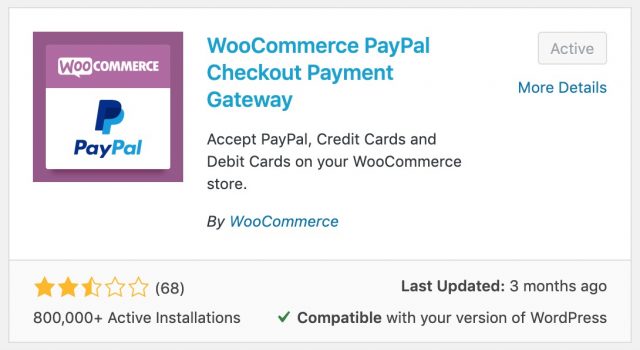
It has quite low rating. However, it will serve our purposes well so let’s go ahead and install it. As you can see in the screenshot, I have that plugin installed and activated.
Setup configurations to link PayPal to WooCommerce
Now you have that plugin installed. Let’s go to WooCommerce->Settings->Payments. You’ll see a list of payments method available on your store here:
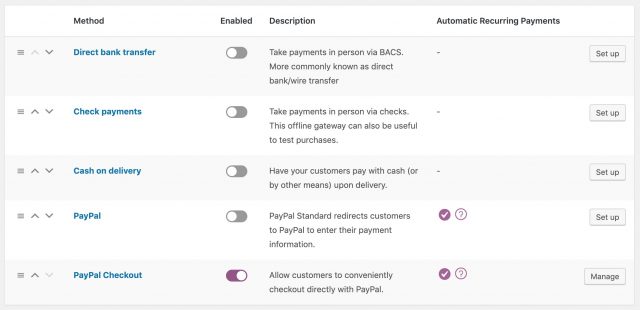
There is a method called PayPal Checkout. That’s the one get added to the list thanks to the plugin we have just installed. Click on Manage to start configure PayPal Checkout payment gateway.
In the next screen, you’ll see this:
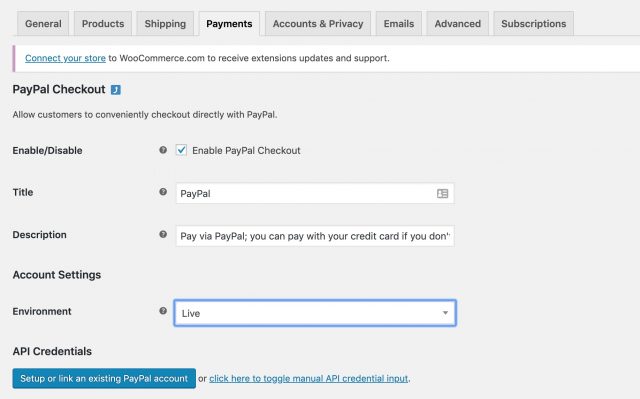
Make sure you set the “Environment” option to Live instead of Sandbox. If you select sandbox, you will get no money into your account when someone buy your products.
Then, click on “Click here to toggle manual API credential input”. You’ll see three new input boxes appear.
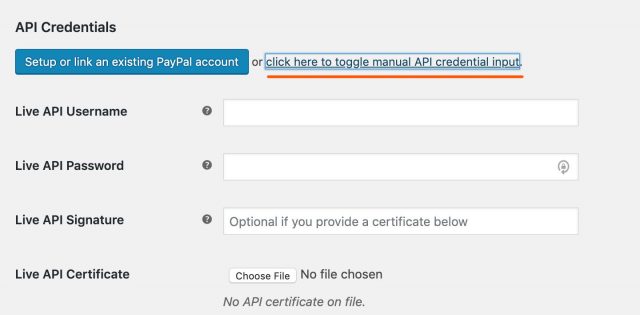
Where do you get the details to enter to those inputs? That’s what we’ll do in the next step.
Get Credentials From PayPal
Now, you need to login to your PayPal account to get the credentials.
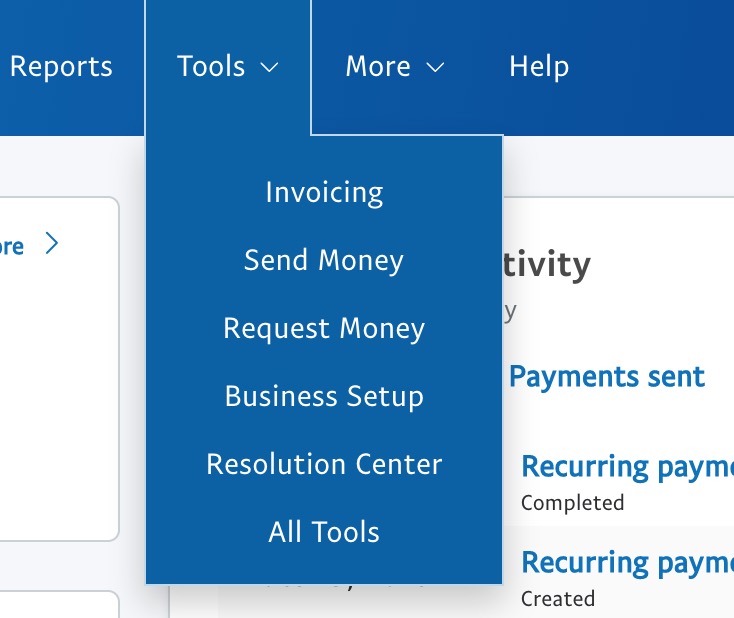
In PayPal dashboard, click on Tools->all tools:
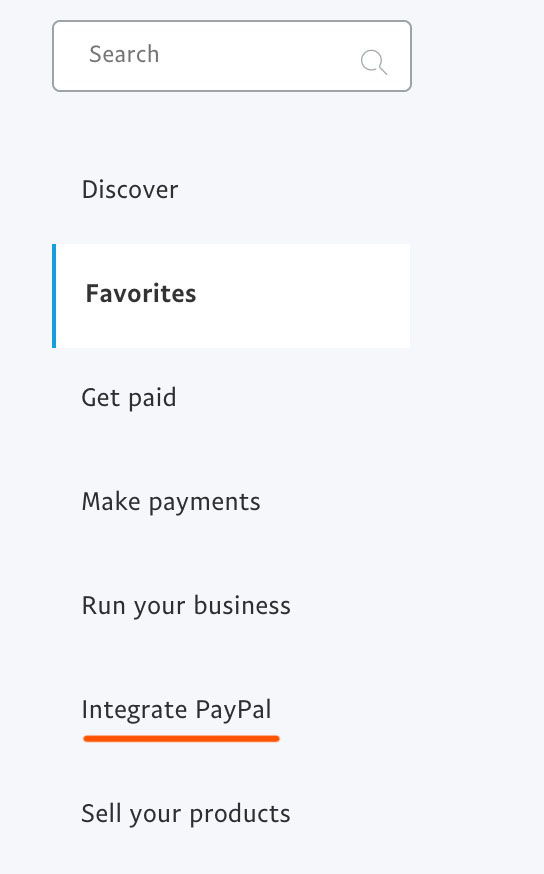
On the next screen, pay attention to the menu on the left and click on Integrate PayPal:
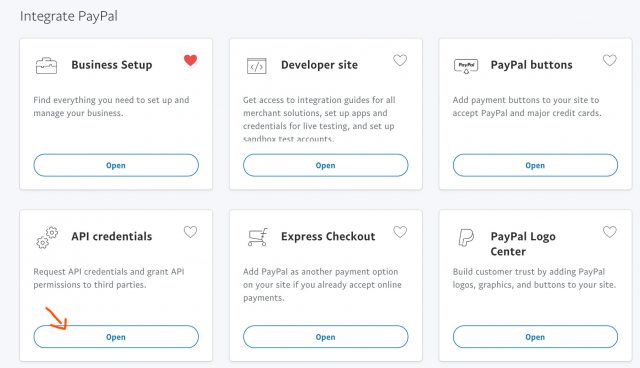
Then, select click Open button in API Credentials box:
On the next screen, you’ll get three options. Click “Manage API Credentials” in “NVP/SOAP API integration (Classic)”
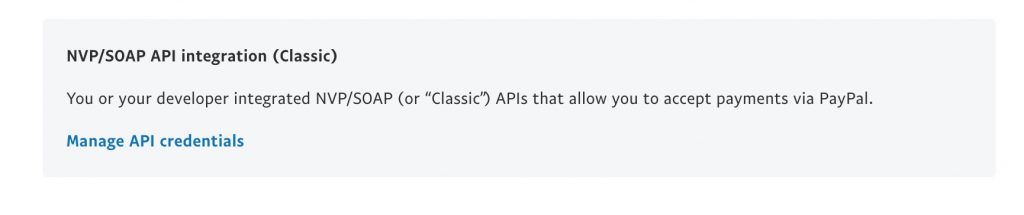
Then, you’ll see the place where you can get PayPal credentials that you can use to link with WooCommerce.
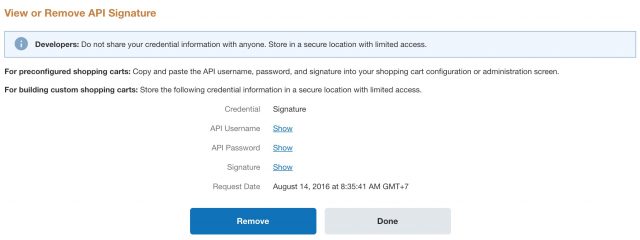
You need to click on the Show link at the right of each field to get the hidden data.
Link PayPal to WooCommerce With the details you get from PayPal
Now, we can finalize our effort to link PayPal to WooCommerce. Head back to your site and put the details from the inputs:
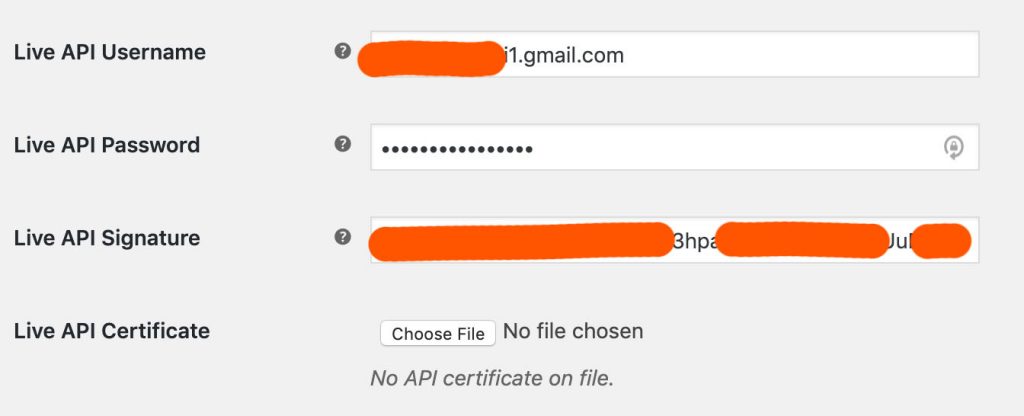
Now, save the settings and your store is ready to accept payments from PayPal checkout.
Integrate PayPal To WooCommerce: Video tutorial
If you prefer watching video, I’ve made one here with step by step tutorial. Please check it out:
Conclusion
As you can see, link PayPal to WooCommerce is quite simple. You may ask that what don’t we use the default PayPal payment comes with WooCommerce (the plugin). The reason is that option is not stable. As I tested a few cases, it failed to accept payments. So, it is best to install WooCommerce PayPal checkout gateway plugin to configure PayPal checkokut.