
Recently, I dived into high availability systems. Among Solr, Redis… MariaDB is a major concern. I followed quite many tutorials on the internet but without luck. I thought to myself, setting up MariaDB Galera cluster must be hard. However, it turned out quite simple. In fact, you don’t need to spend more than 5 minutes to setup a cluster and get it up and running.
Requirements for MariaDB Galera cluster
To run a MariaDB Galera cluster, you must have at least 2 nodes. All nodes must be running the same MariaDB version. In addition, you need to open some specific ports between the nodes to let the cluster to form. Here are the ports:
- 3306 For MySQL client connections and State Snapshot Transfer that use the mysqldump method
- 4567 For Galera Cluster replication traffic. Multicast replication uses both UDP transport and TCP on this port.
- 4568 For Incremental State Transfer.
- 4444 For all other State Snapshot Transfer.
Setting Up MariaDB Galera Cluster on The First Node
On the first node, edit your mysql configuration file and put the following content to the file /etc/mysql/my.cnf
[mysqld]
user                              = mysql
bind-address                      = 0.0.0.0
wsrep_on                          = on
wsrep_provider                    = /usr/lib/galera/libgalera_smm.so
wsrep_sst_method                  = rsync
wsrep_slave_threads               = 4
default_storage_engine            = innodb
binlog_format                     = row
innodb_autoinc_lock_mode          = 2
innodb_flush_log_at_trx_commit    = 0
sql_mode=NO_ZERO_IN_DATE,NO_ZERO_DATE,ERROR_FOR_DIVISION_BY_ZERO,NO_ENGINE_SUBSTITUTION
open_files_limit=750000
max_connections=30000
default_authentication_plugin=mysql_native_password
#innodb
innodb_lock_wait_timeout = 5
# Galera Cluster Configuration
wsrep_cluster_name="my_cluster"
wsrep_cluster_address="gcomm://"
#172.31.29.119
# Galera Synchronization Configuration
wsrep_sst_method=rsync

# Galera Node Configuration
wsrep_node_address="Node_IP_ADDRESS"
wsrep_node_name="Node_IP_ADDRESS"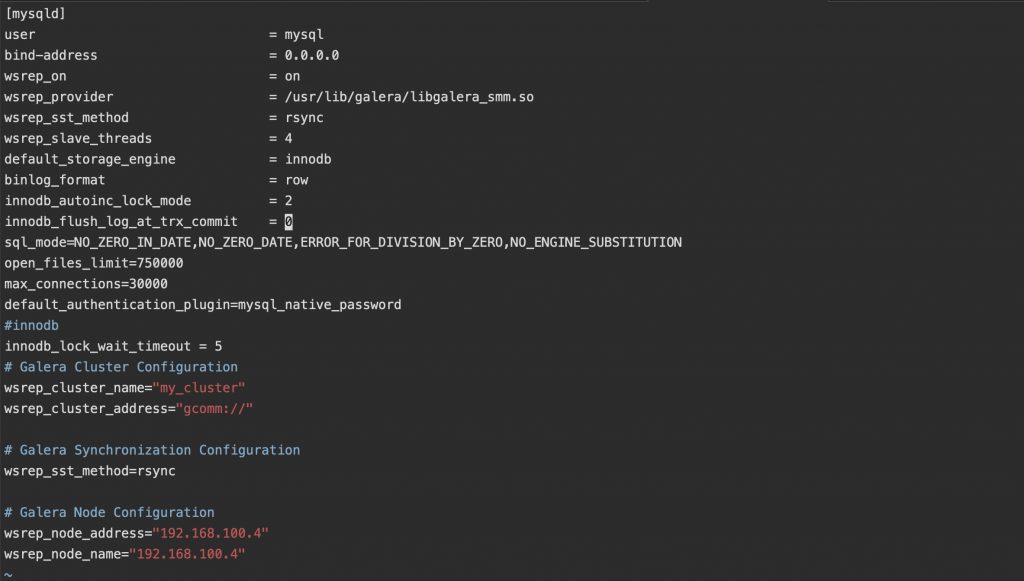
Also, on the first node, you must tell mysql that it is safe to start the new MariaDB Galera cluster from this node. Thus, edit the file /var/lib/mysql/grastate.dat and edit the last line (safe_to_bootstrap) from 0 to 1 (if it is set to 0):
# GALERA saved state
version: 2.1
uuid:    fc43dfacg-c4442-32e4-9e43-tghf6323bn4
seqno:   -1
safe_to_bootstrap: 1
Depends on what user is running mysql service, you need to give it the write permission to grastate.dat file. Otherwise, it cannot start the cluster. If you need a quick fix, just run the following command:
chmod 777 /var/lib/mysql/grastate.datNow, you can start the node by issuing this command:
systemctl restart mysqlIf everything is ok, you should not see any error message :p.
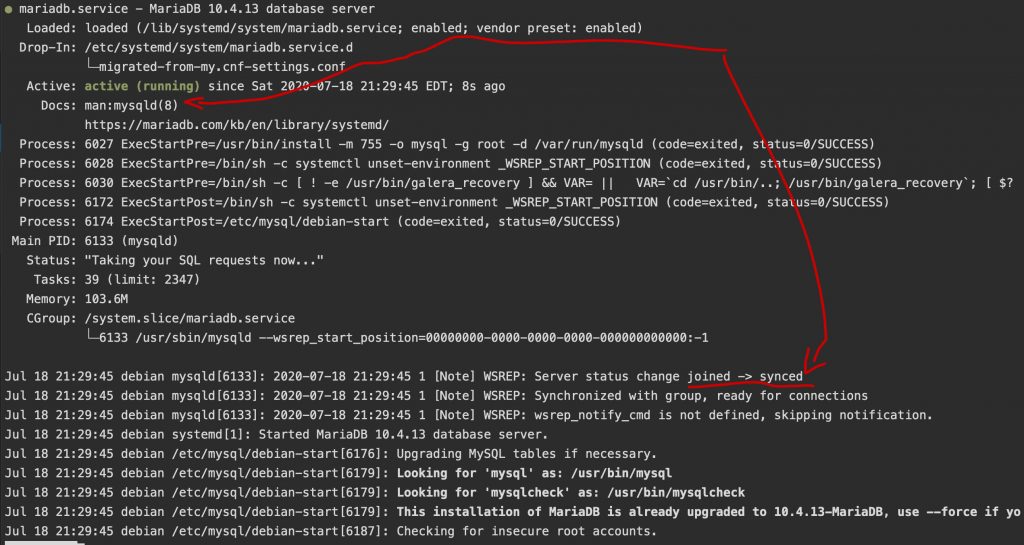
If you run
systemctl status mysqlYou should see something like this:
Setup MariaDB Glaera cluster on other nodes
Now you have your first node up and running. Setting up other nodes should be simple.
In your /etc/mysql/my.cnf enter the following content:
[mysqld]
user                              = mysql
bind-address                      = 0.0.0.0
wsrep_on                          = on
wsrep_provider                    = /usr/lib/galera/libgalera_smm.so
wsrep_sst_method                  = rsync
wsrep_slave_threads               = 4
default_storage_engine            = innodb
binlog_format                     = row
innodb_autoinc_lock_mode          = 2
innodb_flush_log_at_trx_commit    = 0
sql_mode=NO_ZERO_IN_DATE,NO_ZERO_DATE,ERROR_FOR_DIVISION_BY_ZERO,NO_ENGINE_SUBSTITUTION
open_files_limit=750000
max_connections=30000
default_authentication_plugin=mysql_native_password
#innodb
innodb_lock_wait_timeout = 5
# Galera Cluster Configuration
wsrep_cluster_name="my_cluster"
wsrep_cluster_address="gcomm://IP_OF_THE_FIRST_NODE"

# Galera Synchronization Configuration
wsrep_sst_method=rsync

# Galera Node Configuration
wsrep_node_address="IP_OF_THIS_NODE"
wsrep_node_name="IP_OF_THIS_NODE"
Replace the IP_OF_THE_FIRST_NODE and IP_OF_THIS_NODE with their respective values.
In my case, my second node IP is 192.168.100.5, the configuration looks like this:
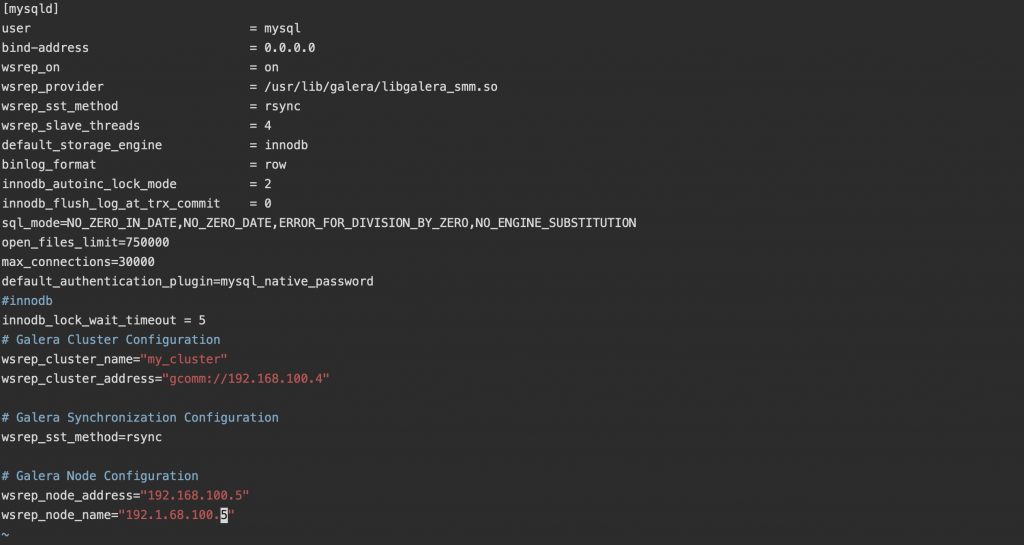
Save the file and you are ready to start this node:
systemctl restart mysqlNow, if you run:
systemctl status mysqlYou should see something similar to this:
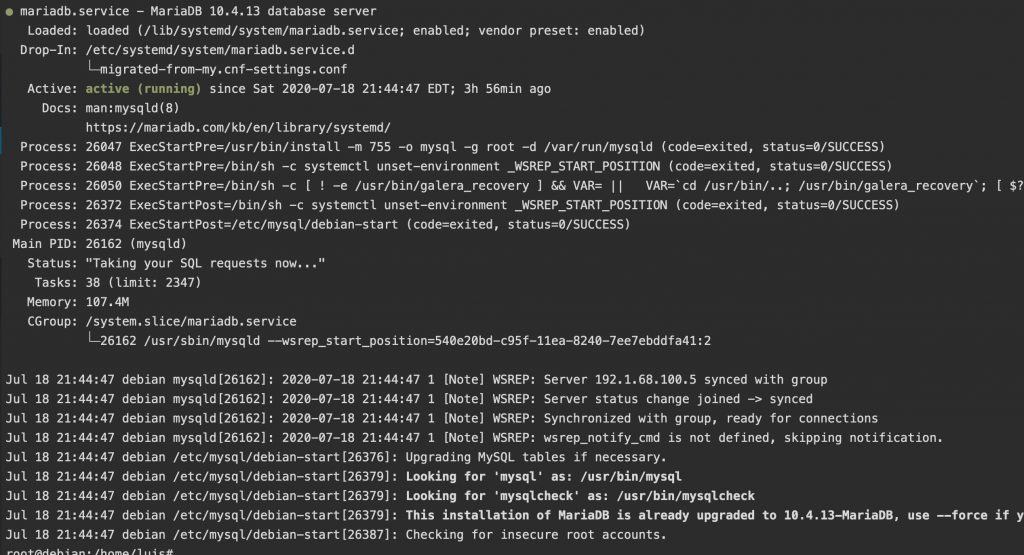
From the log, you can see the status like joined -> synced. That means the node has successfully joined and synced with the cluster.
Now, if you add data to one of nodes, the other nodes will update automatically.
Now, your cluster has two nodes. If you want to add more nodes, just repeat the setup on other nodes above.
Note on restarting the first node
When your first node of the MariaDB Galera cluster is down, you cannot restart it as with other node. Why? It is because you still have the setting “safe_to_bootstrap” set to 1. When your first node of the cluster is down, simply set this to 0 and restart mysql.
Conclusion
As you can see, setting up MariaDB Galera cluster is quite simple. My setup has two nodes. However, you can add as many new nodes as you prefer. In case one node is down, there are other nodes still running that help you continue to serve your customers.